Aggressive cows on the ArchivistaBox
Egg, April 15th: From now on, the ComfyUI integration for the ArchivistaBox AGPLv3 is available. Never heard of ComfyUI? No problem, this blog will explain what ComfyUI is. Furthermore, using an example with “aggressive cows”, it will show the results that are currently possible with open source, and finally, at the end, the installation on the ArchivistaBox will be explained in such a way that it can be done effortlessly.

What is ComfyUI?
If you want to work with AI models, you need a program that tells the models what to do. I’d like to explain this with an example. For the project at https://ch1291.ch, a short song or clip was created to introduce the project. First, here’s the link to view the clip:
It features a song lasting about 90 seconds in the languages of Swiss German, German, French, Italian, and English. In addition, 21 images were generated for the clip to visually complement the song. One sequence deals with the potential conflict between humans and cows while hiking. This would be somewhat difficult to realize in reality. Who wants to provoke cows to get a good shot? Also, no one is likely to pull out their camera when the cows are approaching.
In principle, you could try to use an image editing program to stage cows and a human. But it’s not that easy, and even professionals might be challenged. This is a classic case for AI.
To make this work, you need a) a good graphics card, b) a model that generates images from text, and c) a program that tells the model what to do. Ideally, this program should work as a web application. Also, if the model runs locally, the program for doing this job should also run locally. This is exactly what ComfyUI offers. Once installed, you can easily perform the job on your local computer using a variety of templates.
Four Models Try Their Luck
The number of models might seem a bit confusing at first in ComfyUI. But ultimately, it’s simply that there are now a considerable number of free AI models available, sort of following the motto, “if you have a choice, you have a dilemma.”
First of all, simple tasks succeed with all models. For example: “Create an image showing a field of flowers.” It becomes more difficult when the scene is more complex. In our example, a scene with four aggressive cows is to be created, in which the hiker flees:
Four aggressive cows in the Alps near Mont Blanc attack an older male hiker from behind; the hiker and cows run in the same direction; it’s raining heavily.
Why is this not so easy for the AI? First, they shouldn’t just be four cows, but they should look aggressive. Second, the hiker joins in, who is afraid of the cows and flees. And third, it doesn’t make sense if the hiker runs towards the cows in a kind of kamikaze action. So, the hiker must run in the same direction as the cows, and moreover, in front of and not behind the cows. The setting that it should take place near Mont Blanc is meant to find out whether the model can handle geographical details. In addition, the rain was added because running as hiker is most fun in the rain ;-)
ZImage-Turbo: The Stumbling Hike
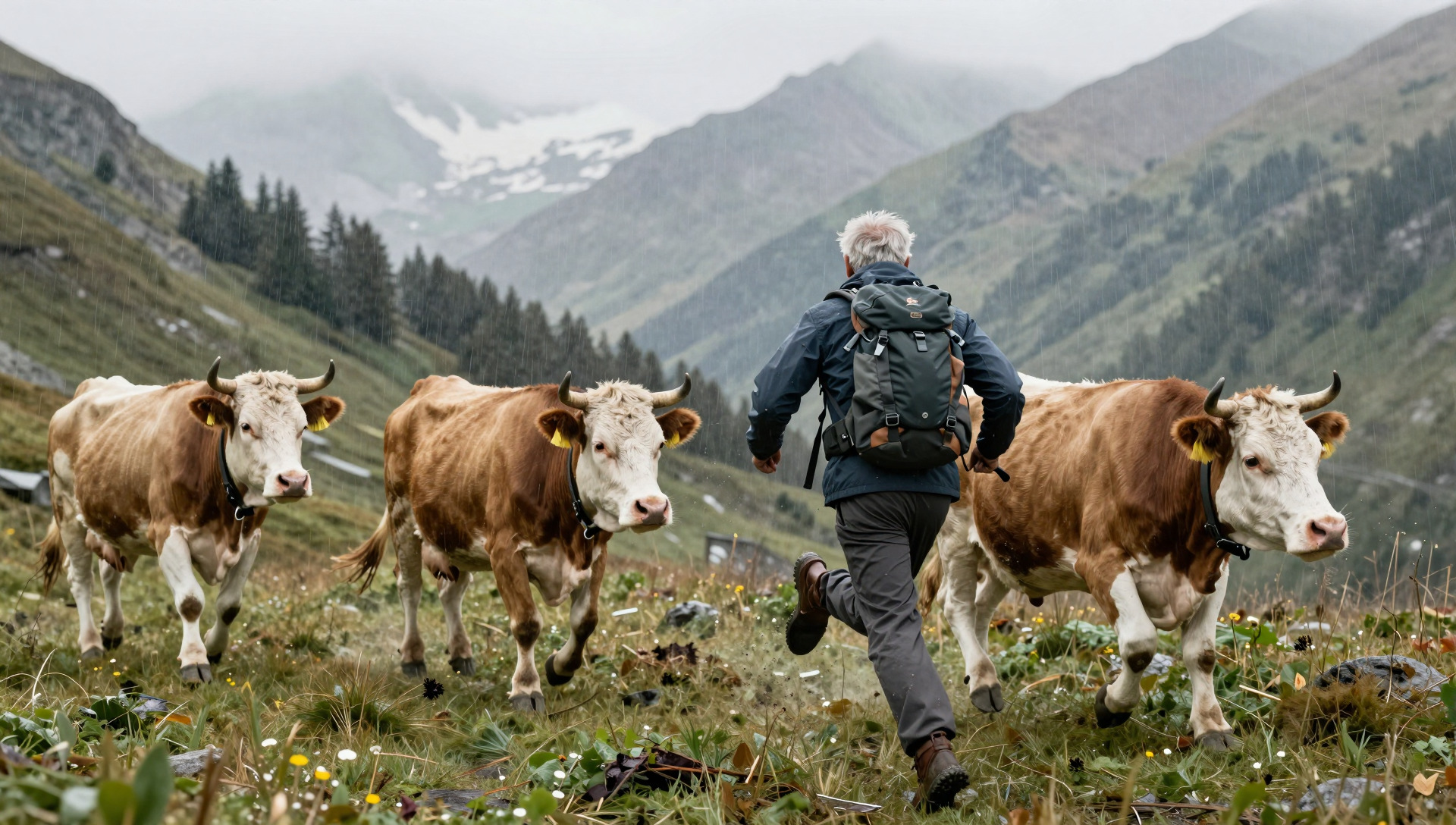
A lot is going wrong here. The three cows (there should be four) appear almost as clones, the hiker runs in the wrong direction, and the legs are simply wrong.
It should be noted here that the Z-Image-Turbo model requires relatively small resources (8 or 16 GB of VRAM). But, the result is practically unusable. As mentioned earlier, simpler things do succeed, but in this somewhat more complex scene, Z-Image-Turbo is pretty much overwhelmed.
Z-Image: The Cows Are Clearly Aggressive, the Hiker Provokes
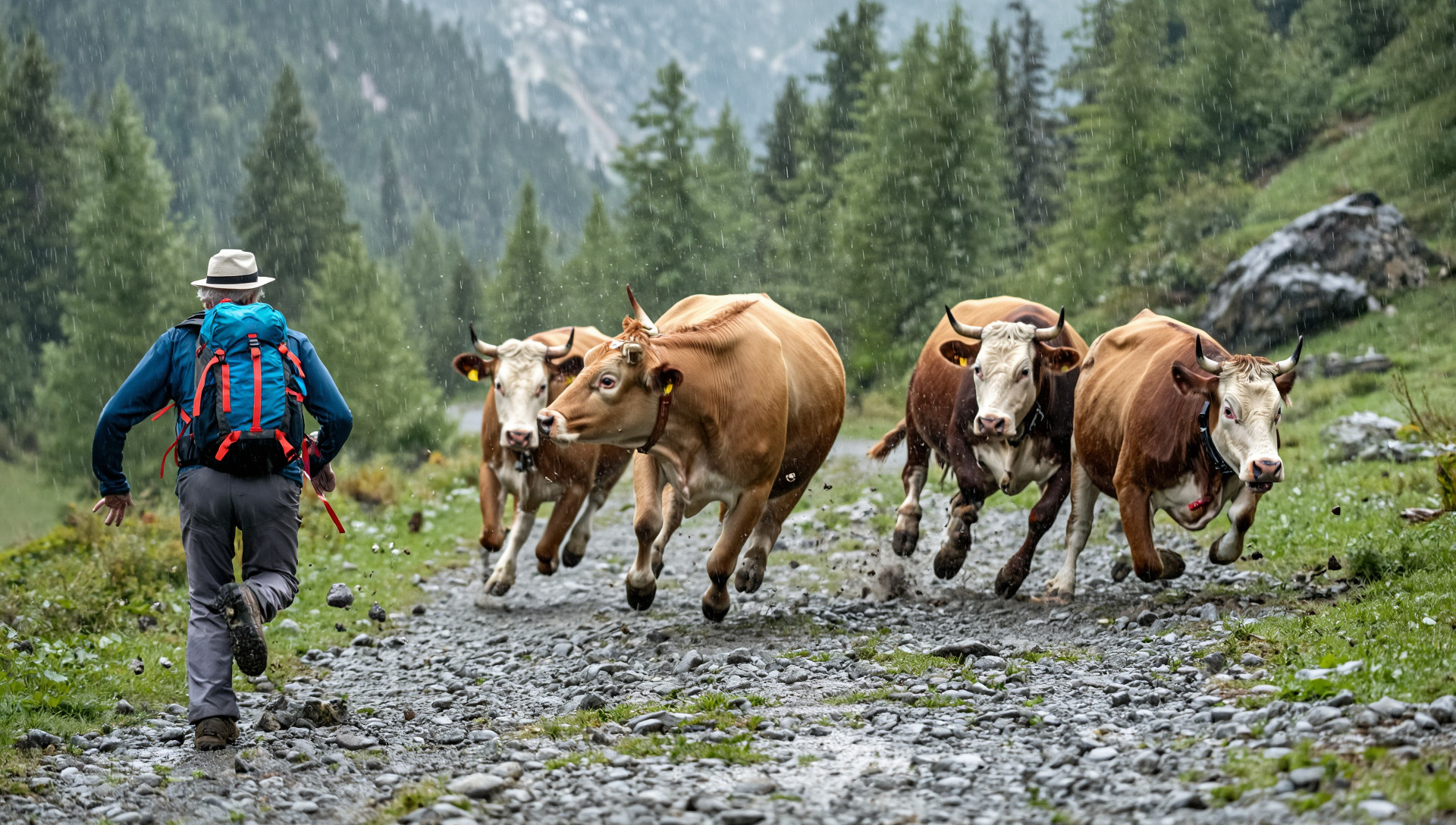
The “normal” ZImage model requires 32 GB of graphics card memory. The cows are now perfectly aggressive, only the hiker runs in the wrong direction, namely towards the cows. That wasn’t the task, but it can be guessed that a fight could break out.
Qwen-Image-2512: Cows and Hiker in Harmony
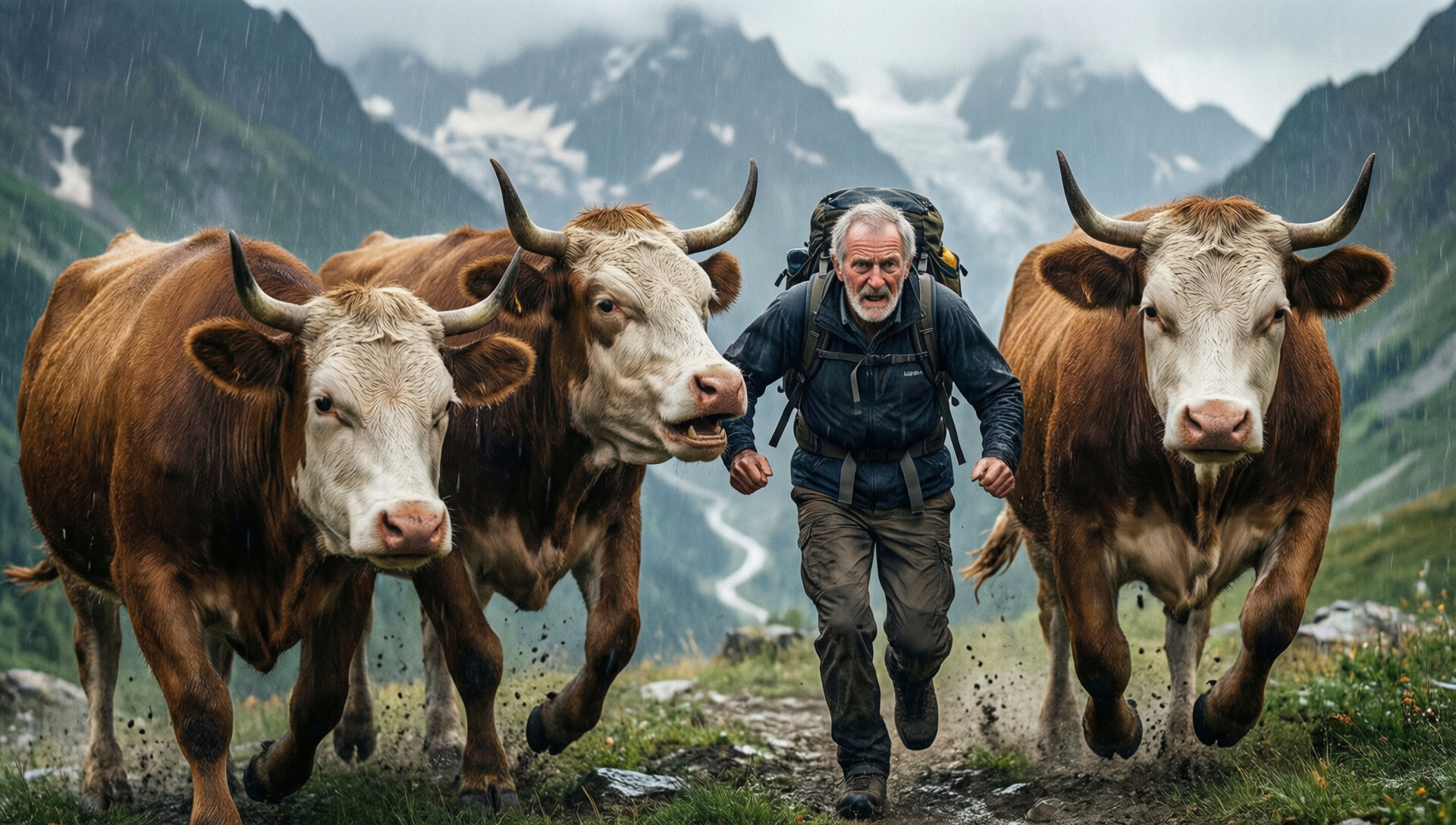
Qwen-Image-2512 means that the model dates from December 2025. All four of the models tested here are not older than a few months. The fact is, the development of local AI models is far from over. Frankly, open-source models were not at a point a year or two ago where they could be used locally.
It should be added here that the image only includes three cows. It can be assumed that the AI model counted the hiker as one of the cows. But at least, they are all looking in the same direction. Also, the hiker is very dynamic. As if he were running right through the “herd.”
Flux-Dev: The “Test Winner” Doesn’t Fail
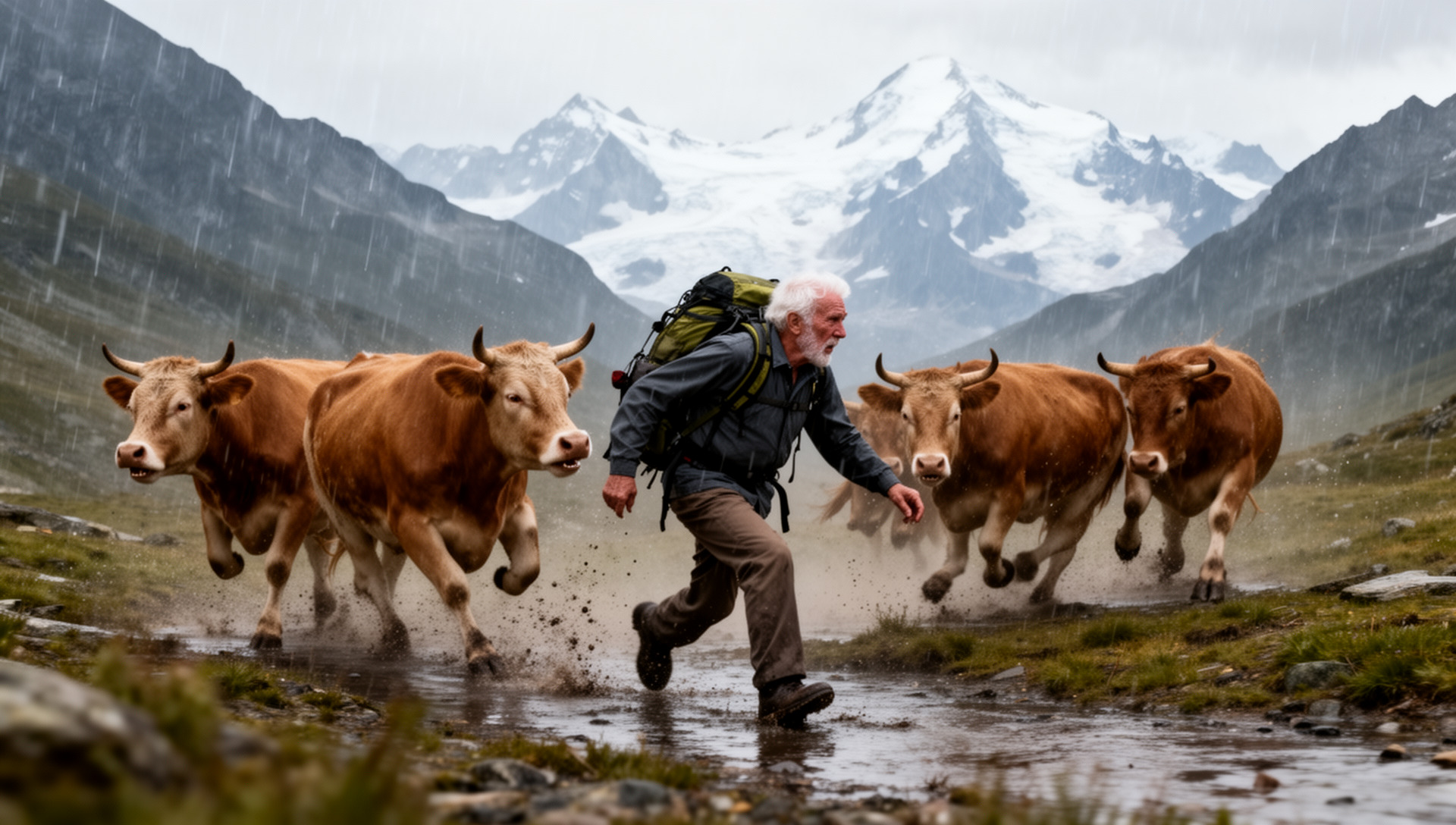
The cows are nicely aggressive, the number is correct, the hiker is in front of them, and he’s running away from the cows. In short, not bad for the first attempt. It could be “criticized” that the cows should be on the left and the hiker on the right (or vice versa). But that wasn’t the task.
In this sense, Flux-Dev is the test winner. The price for this is quite high. With less than 32 GB of VRAM on the graphics card, it’s not possible. And even with 32 GB of VRAM, it only works if certain parts are processed in the main memory. However, this does not lead to a significantly longer processing time. Overall, Flux-Dev with 1920×1088 pixels (FullHD) takes about two to three minutes of processing time, measured with the AMD R9700 graphics card.
That’s Why the AMD R9700 Is the Best Choice Right Now
As mentioned above, more demanding image-to-text AI is barely feasible with a 16 GB graphics card. With 32 GB, prices at Nvidia are quite high. 3000 Swiss Francs or more just for the graphics card, that’s a considerable amount. The AMD R9700 currently costs 1200 Swiss Francs (both prices including VAT).
This price difference is due to the fact that Nvidia is the market leader. How easy it is to activate the drivers for AMD under Windows has not been tested. Under Linux, it can be said that driver installation is, in principle, no longer too difficult. It becomes a little more difficult when it comes to installing ComfyUI. And it becomes even more challenging when Flash Attention 2 is to be activated. Although this module is “optional”, it offers faster processing.
Once set up correctly, the combination of RX 9070 XT or R9700 offers very good results. Models larger than 32 GB can either be offloaded to the CPU (works well with Flux-Dev) or via a second graphics card via PCI5-x16.
With the R9700, models for generating videos have also been tested. The current (March 2026) LTX2.3 offers a remarkable quality in FullHD (upscaling to 4K is possible) and synchronization of the audio and video track. This means that dialogues can be integrated into the scenes, and this with quite perfect German. With some practice, dialects could also be realized.
It should be noted here that several iterations are often necessary for good results. Unlike text-to-image, in text-to-video, the textual description must be translated into a script. Also, a minimum of 25 frames per second is required, and with LTX2.3, up to 50 frames per second can currently be generated.
Cloud offers are not necessarily inexpensive.
Those who work with closed cloud offers will quickly realize that price models of around 100 Swiss Francs per month (or the corresponding credits) do not go very far (fullHD video per minute costs around 40 USD). On the ArchivistaBox KI with ComfyUI, two to three hours of clips have so far been created.
This would have cost around 7000 USD with the market leader. Without a local AI, this would have been a very expensive undertaking. And it may be that without a local AI, the knights would not have marched around in so many facets. The short clip (more is not possible with the bandwidth of the current provider) is intended to illustrate what a result might look like.
With LTX 2.3, scenes of 20 to 30 seconds in FullHD or 4K (upscaled) are possible.
The audio synchronization in version 2.0 was not very usable; the new version’s synchronization is much better. A 5-second clip with speech doesn’t make much sense, but examples with spoken scenes will be available soon. Furthermore, numerous demos can be found online, and the quality shown there can be confirmed.
Installation of ComfyUI on the ArchivistaBox
First, you need the current ArchivistaBox 2026/III and the ai.os module. This process is explained in the last blog. You also need the comfyui.os file. This can be found here:
https://archivista.ch/cms/comfyui
Extract the ‘comfyui.os’ file and unpack it in /home/archivista/data:
unsquashfs -d comfyui comfyui.os
Then, switch to the folder with ‘cd comfyui’ and open the virtual environment:
source confyui/bin/activate
After that, the prompt ‘comfyui’ will appear in the console. Now switch to the corresponding folder with cd ComfyUI. ComfyUI can now be started with ./comfyui-amd.sh.
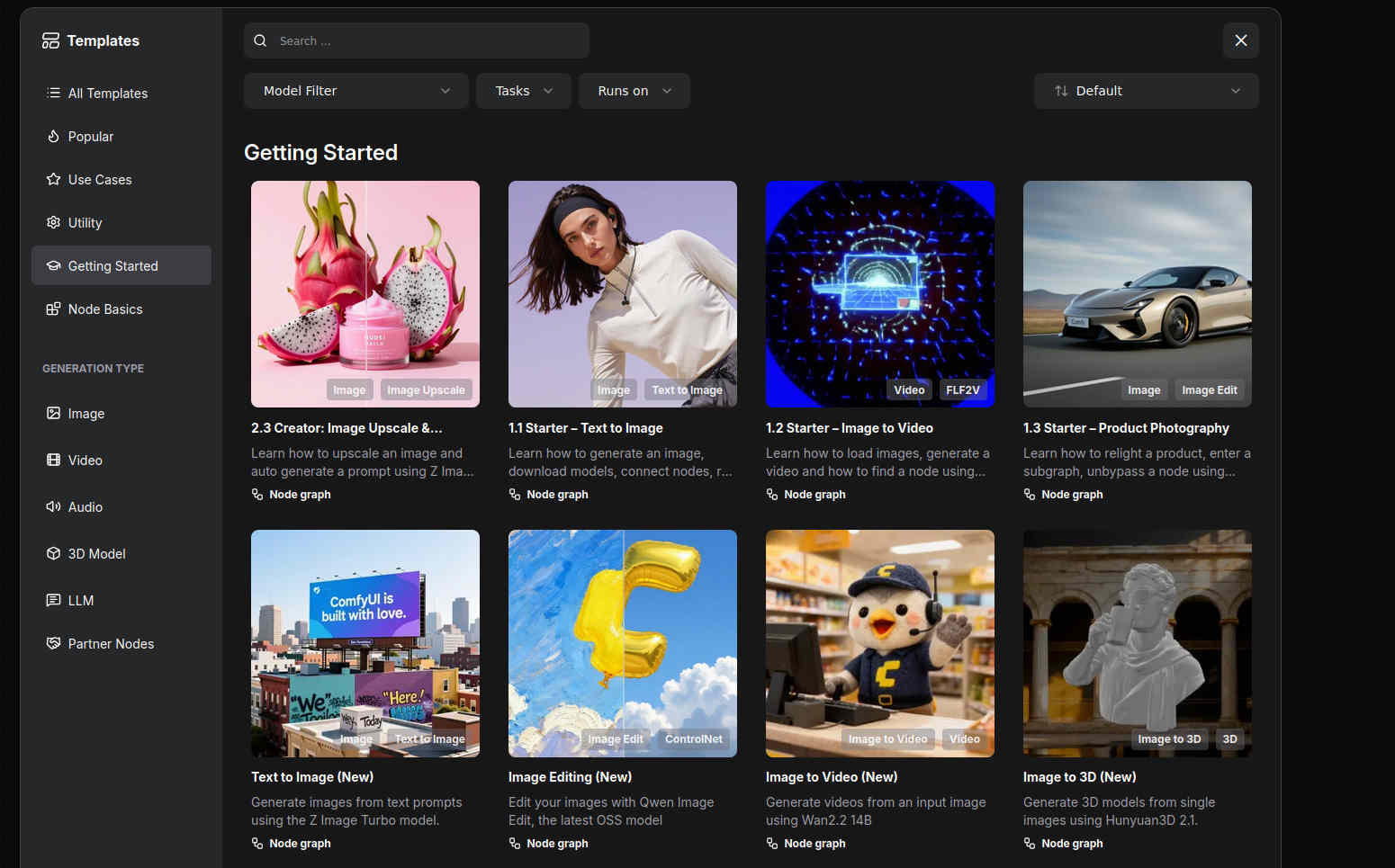
ComfyUI can then be accessed via ‘http://localhost:8189’ or the address of the computer under port 8189. The current package is about 3 GB. Unpacked, it is about 7 GB. In ComfyUI, you can now open the desired models using templates:
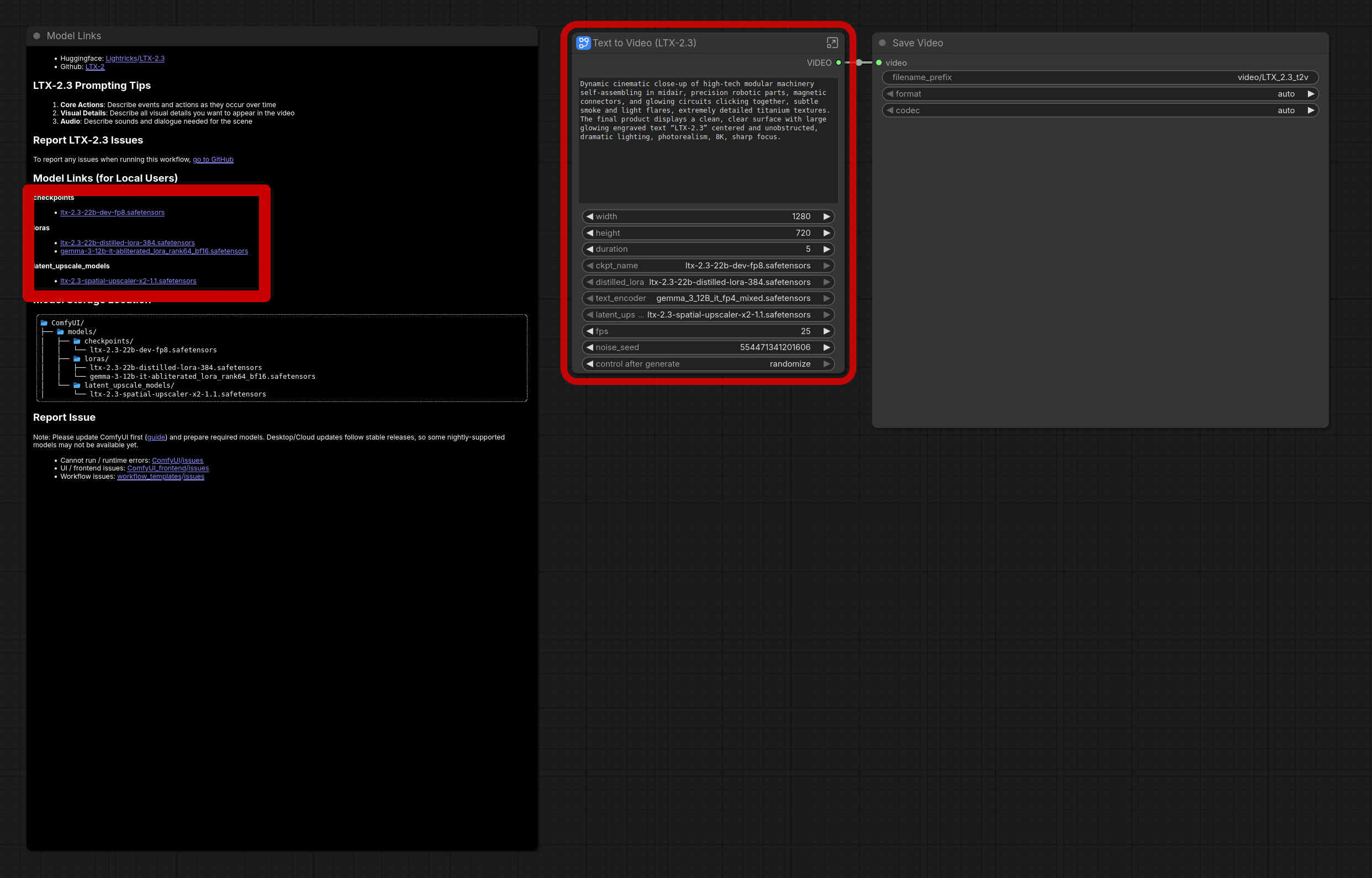
The red frame in the middle says that models are missing. On the left, you will find (here framed with a thick red border) the corresponding models that are needed or where they must be placed. The easiest way to install is by pressing Ctrl+Enter. This will start the job. ComfyUI then automatically reports which files are missing. You can also start the download directly there.
It is important to know that the models require a lot of storage space. One model “swallows” somewhere between 10 and 100 GB, usually around 50 GB. But the results (e.g., with Flux-dev) are already “damn” good. In this sense, enjoy!
Note: In principle, ComfyUI also works without an AMD graphics card, as long as the CPU is used for processing and enough RAM is available. However, the response times are very, very slow. 5 seconds of HD video rendering with audio sync on the R9700 currently takes a few minutes; without a GPU, it would take a few hours. Furthermore, depending on the RAM situation (main memory), it may be necessary to create a large swap partition. This is done with root with cd /var/lib/vz; dd if=/dev/zero of=avswap bs=64M count=1024; mkswap avswap. Then restart the computer and check with ‘swapon’ whether/that the 64 GB is activated.
Note II: Those who expected more information about ArchivistaDMS at this point should know that this part will follow in one of the next blogs, don’t worry!